How to use Energy Battery
The whole app, explained in plain words. Ten minutes from "what is this" to "I've got it".
The big picture
Your phone tells you it's at 40% and you plan around it. Your body doesn't. This app makes it.
A few times a day you say how charged you feel, on a scale of 1 to 10, and what you were doing. That's the whole input. Over a couple of weeks those little numbers turn into a picture of what actually charges you and what actually drains you, instead of what you assume does.
Glow is the firefly who lives on the left. Her tail fills up or dims out depending on how your day is going, and she'll say something if you click her.
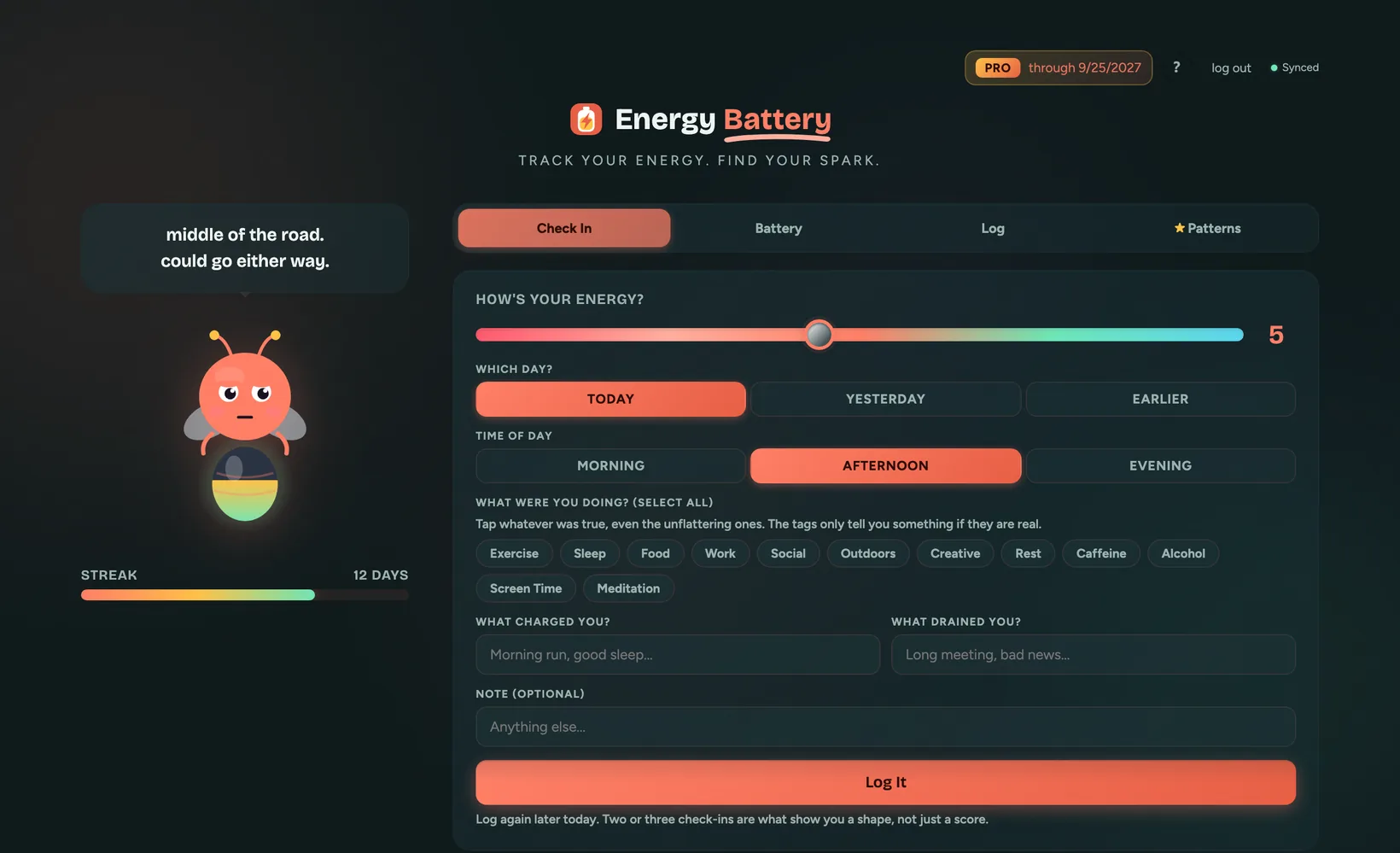
Glow on the left, today's check-in on the right. That's the whole loop.
Logging a check-in
This is the only thing you have to do. It takes about fifteen seconds.
- Slide the energy number. 1 is running on fumes, 10 is fully charged. Don't overthink it, your first instinct is the useful one.
- Pick the day. Today is already selected, so most of the time you skip this. Yesterday is one tap, and Earlier opens a date picker that goes back 30 days.
- Pick the time of day. Morning, afternoon or evening. This is what later lets the app tell you when you're reliably at your best. On a past day nothing is preselected, because the app won't guess at a day that's already over.
- Tap what you were doing. Exercise, sleep, food, work, social, outdoors, creative, rest, caffeine, alcohol, screen time, meditation. Tap as many as fit.
- Say what charged you and what drained you, if anything stands out. Both optional.
- Log It.
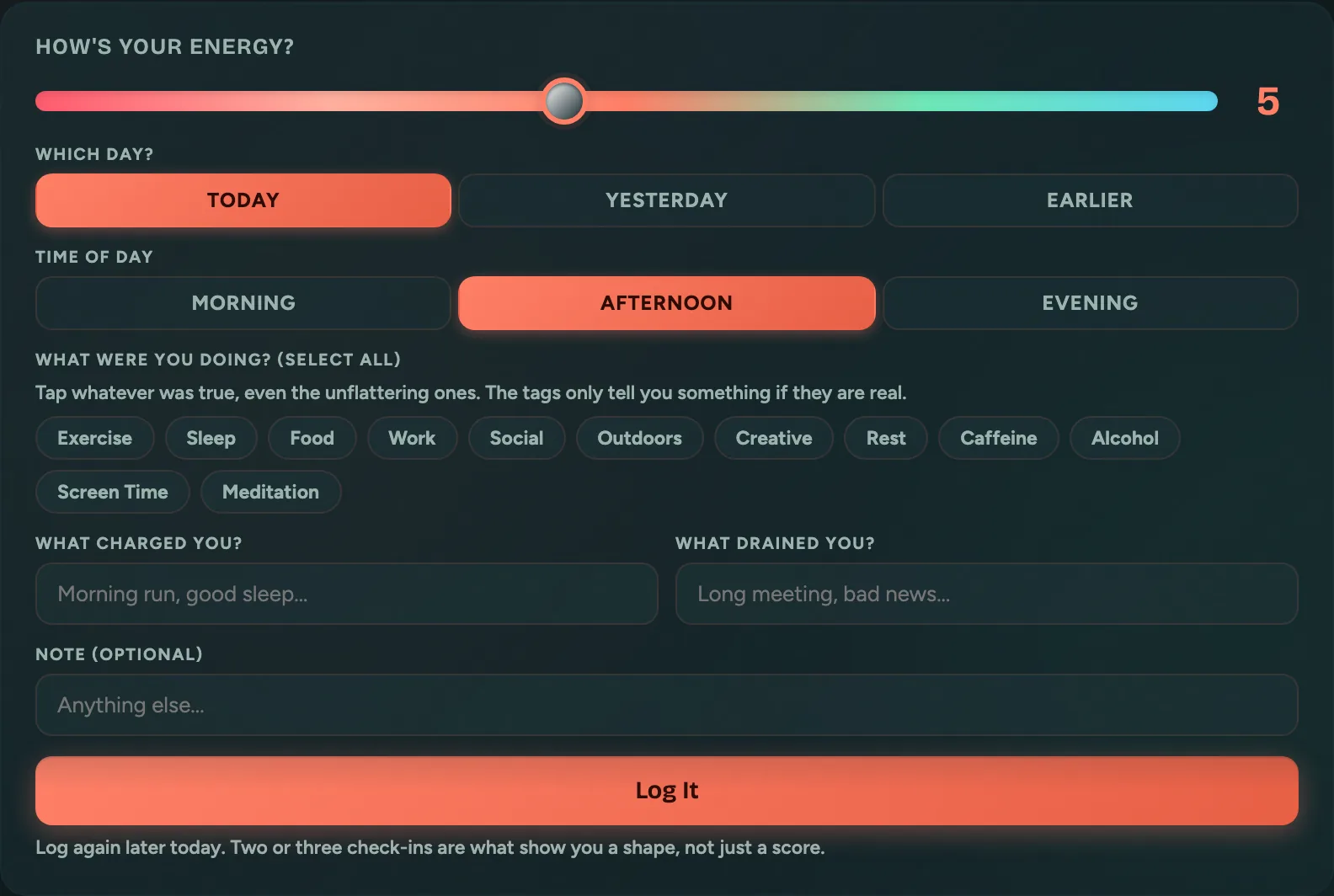
Slider, time of day, a few taps. Fifteen seconds.
The battery and the streak
The battery level is today's average across your check-ins, not your last one. So a rough morning and a good evening land where they should: somewhere in the middle.
The streak counts days in a row where you logged at least one check-in. It's tracking the habit, not your energy. A day at 2 out of 10 still keeps the streak alive, which is the point: the bad days are the ones most worth having in the data.
The backup cell under the streak covers one missed day a week. Miss a day and the streak keeps going, and the cell recharges seven days later. Miss two days in a row and the streak starts over.
What each tab is for
- Check In is the form. Start here.
- Battery is today: your level and how the day has gone so far.
- Log is your check-in history, most recent first.
- Patterns is where the app tells you what it noticed. That one's Pro.
Pattern insights (Pro)
Once you have a couple of weeks of check-ins, the app can compare them and tell you things you can act on: which activities show up on your high-energy days, which ones show up before a crash, and what time of day you're reliably at your best.
This is the part you can't do in your head. Everyone thinks they know what drains them. The tags usually disagree.
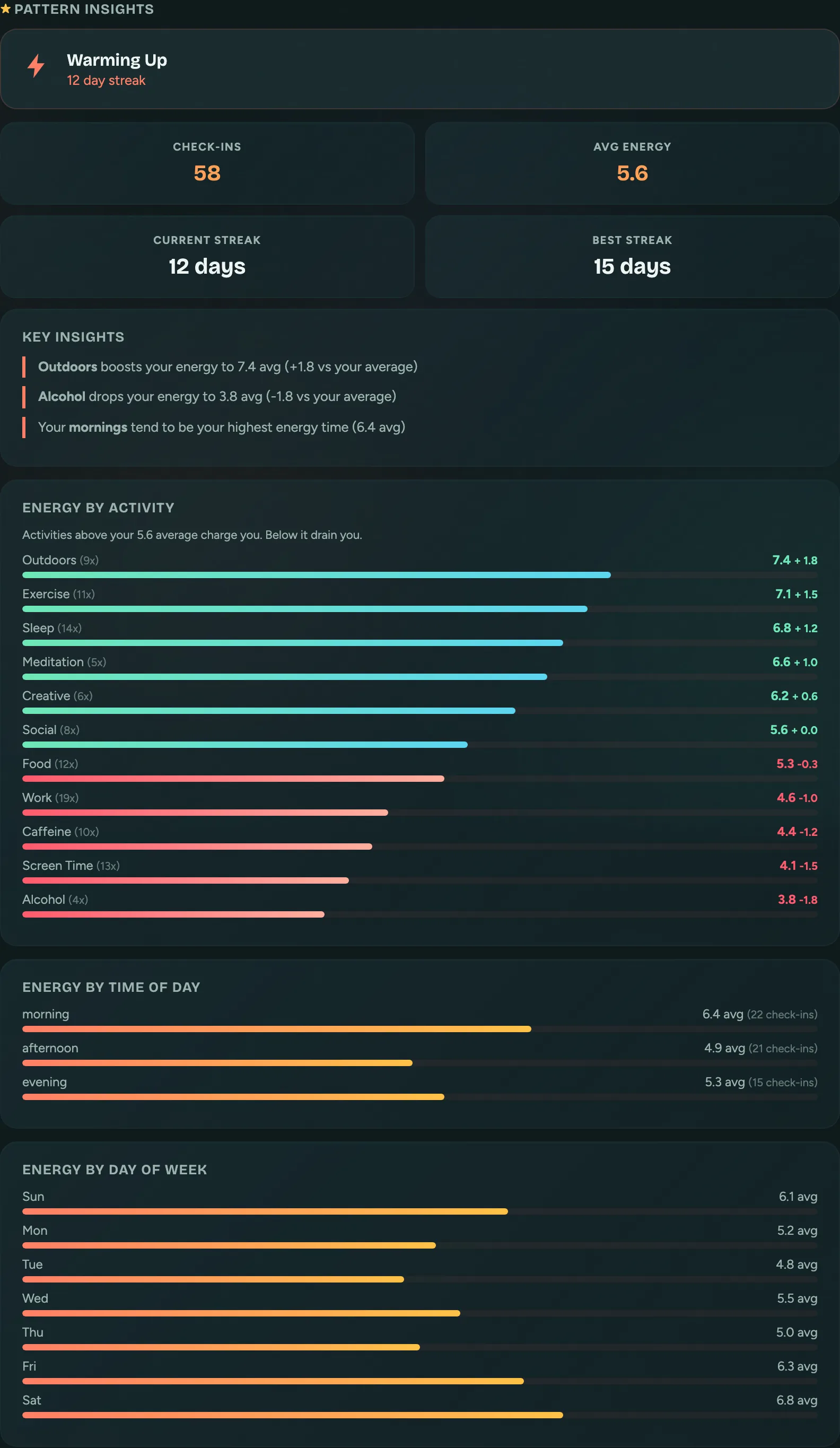
What charges you and what drains you, counted rather than guessed.
Your first ten minutes
- Log one check-in right now, for how you feel this minute. Not how you feel in general.
- Log another one later today. Two in a day is what starts showing you a shape.
- Tag what really happened. If caffeine and screen time were involved, tap them. The tags only help if they're true.
What's free and what's Pro
Free is a real tracker, not a trial. Pro is one pass that also covers the other four apps in the hub.
| Feature | Free | Pro |
|---|---|---|
| Check-ins | Unlimited | Unlimited |
| Battery, streak, today's view | Yes | Yes |
| Check-in history | Last 7 days | Everything you've logged |
| Pattern insights | Locked | What charges and drains you, by day, time and activity |
Nothing gets deleted on the free plan. Older check-ins are kept, just tucked out of view until you go Pro.
Quick answers
- How often should I check in?
- Two or three times a day beats once. Morning, afternoon and evening is plenty, and it's what makes the time-of-day patterns work.
- Is this a medical or mental-health tool?
- No. It's a tracker for noticing your own patterns, nothing more. It doesn't diagnose anything and isn't a substitute for talking to a professional.
- I missed a few days. Did I lose anything?
- One missed day a week is covered by the backup cell, so the streak keeps going. After that, only the streak, and you can get it back. Use Yesterday or Earlier on the check-in form to fill in a day you missed, up to 30 days back. A backfilled day counts toward your streak like any other.
- Does Pro only cover this app?
- No. One Pro pass covers Energy Battery plus the other four apps in the App Hub.
- I moved. How do I fix my timezone?
- Open Account settings at the bottom of the app and tap Change timezone. Your zone is what decides when a day rolls over, so Today and Yesterday follow it. Check-ins you already logged keep the day they were saved under.
- Can I see the app tour again?
- Yes. Tap the ? button at the top of the app, then Show me around.
- Where do I ask for help?
- The feedback button in the corner of the app comes straight to me, Jen. I read every one.